

Cosmobet App
The Cosmobet app gives you full access to sports betting and casino games directly from your mobile device. It runs as a Progressive Web App (PWA), so there is no large file to download and no app store approval required. New players can claim a 20% Sports Bonus up to GBP 200 on their first deposit. Tap the button below to get started.
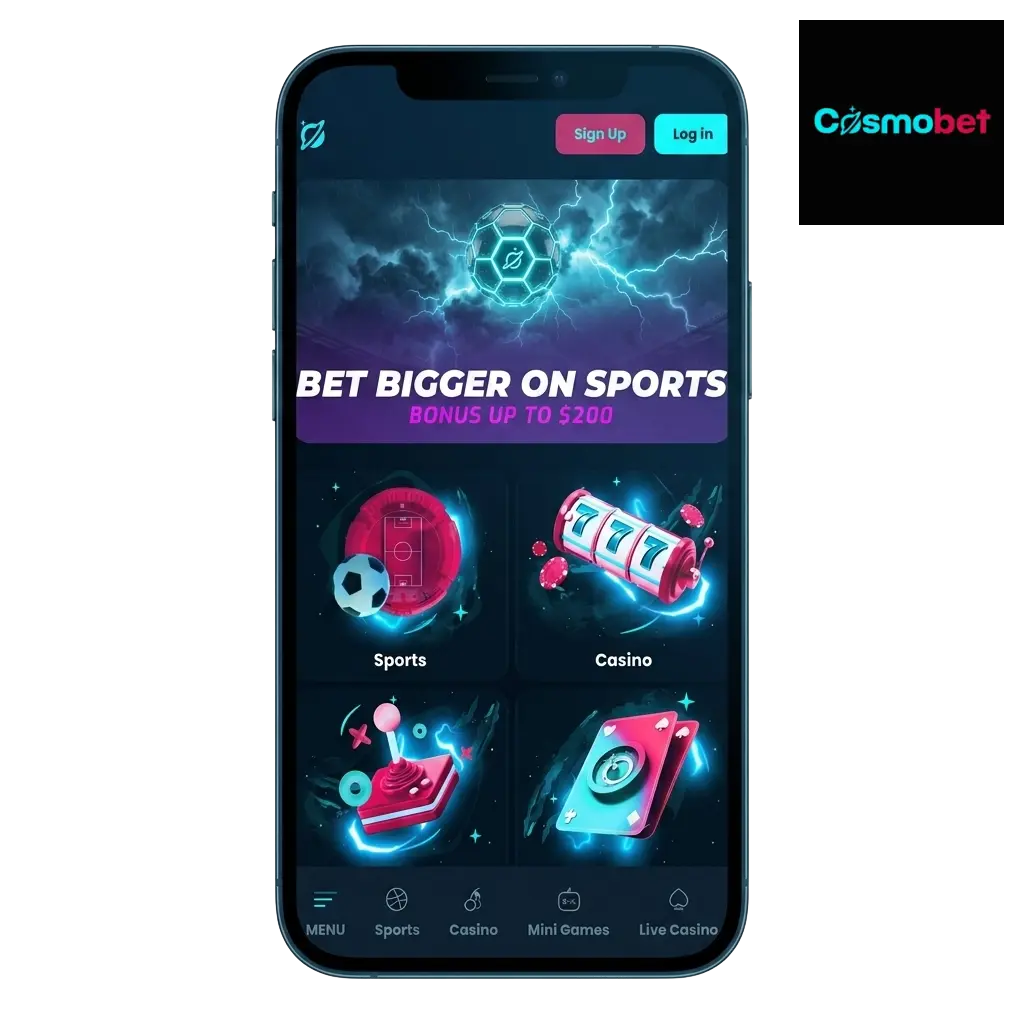
Cosmobet App Overview
The Cosmobet app covers sports betting and casino gaming in a single, lightweight PWA. It is built for UK players and holds a valid licence, so your account and funds are protected. Below is a quick reference to the app’s core details.
| App Category | Sports Betting and Casino |
| Licence | UK Gambling Commission (UKGC) |
| Supported OS | Android, iOS |
| Latest Version | PWA (auto-updated) |
| Release Date | Available Now |
| Download Cost | Free |
| App Languages | English |
| Supported Countries | United Kingdom |
| Welcome Bonus for Sports | 20% Sports Bonus up to GBP 200 |
| Welcome Bonus for Casino | Available on registration |
| Bet Types | Singles, Accumulators, Live Betting, System Bets |
| Customer Support | Live Chat, Email |
Interface of Cosmobet App
The Cosmobet app interface is built around a clean layout that keeps key sections within easy reach at all times. Navigation between sports markets, casino games, and your account is direct, requiring minimal taps to reach any destination.
Download Cosmobet PWA for Android in 5 Steps
Installing the Cosmobet PWA on Android takes under a minute and requires no third-party app store. The process runs through your mobile browser, keeping everything straightforward. Follow the five steps below to get the app on your home screen.
Click Download for Android
Tap the Download App for Android button on this page to open the Cosmobet site in your mobile browser.
Log In or Sign Up
Log in to your existing account or create a new one to continue.
Select ‘Add to Home Screen’
Tap ‘Add to Home Screen’ from the menu, then confirm by tapping ‘Add’.
Begin Exploring
Once logged in, you can start placing bets or playing casino games immediately from your home screen.
Supported Devices for Cosmobet PWA Android Version
The Cosmobet PWA runs on any Android device with a modern browser, covering the vast majority of smartphones currently in use across the UK. Android 8.0 or above is sufficient for stable performance on all features. The table below lists popular brands and compatible models.
| Brand | Models |
|---|---|
| Samsung | Galaxy S23, S24, A54, A34, S22, A53 |
| Sony | Xperia 1 V, Xperia 5 V, Xperia 10 V |
| Huawei | P50 Pro, Mate 50, Nova 11 |
| OnePlus | 12, 11, Nord 3, Nord CE 3 |
| Oppo | Find X6, Reno 10, A98 |
| Pixel 8, Pixel 8 Pro, Pixel 7a, Pixel 7 | |
| Xiaomi | 13, 13T, Redmi Note 13, Poco X6 |
| Poco | X6 Pro, M6 Pro, F5 |
System Requirements for Android
The Cosmobet PWA is deliberately lightweight, meaning it places minimal demand on your device’s hardware. Any mid-range Android phone from the past four years will handle it without issue. Storage requirements are minimal since the PWA does not install a large application file onto your device. The table below outlines the technical baseline.
| System Requirements | Details |
|---|---|
| Operating System | Android 8.0 or above |
| RAM | 2 GB minimum (4 GB recommended) |
| Storage Space | 100 MB free (for browser cache) |
Download Cosmobet PWA App for iOS in 5 Steps
Apple device users can install the Cosmobet PWA directly through Safari in a few taps. No App Store download is required, and the process takes less than a minute. Follow the steps below to add the app to your iPhone or iPad home screen.
Click Download for iOS
Tap the Download App for iOS button on this page to open the Cosmobet site in Safari on your iPhone or iPad.
Log In or Sign Up
Log in to your existing account or register a new one to proceed.
Select ‘Add to Home Screen’
Tap ‘Add to Home Screen’ from the list of options, then confirm by tapping ‘Add’.
Begin Exploring
Once logged in, you can start placing bets or playing casino games directly from your iOS home screen.
Supported Devices for Cosmobet iOS PWA Version
The Cosmobet PWA is compatible with all iPhones and iPads running iOS 14 or above, which covers the majority of Apple devices sold in the last five years. Safari is the required browser for installation on iOS. The table below shows the Apple models confirmed to support the PWA.
| Brand | Models |
|---|---|
| Apple | iPhone 15, iPhone 15 Pro, iPhone 15 Pro Max, iPhone 14, iPhone 14 Pro, iPhone 14 Pro Max, iPhone 13, iPhone 13 Mini, iPhone 12, iPhone SE (3rd Gen), iPad Air (5th Gen), iPad Pro (M2), iPad Mini (6th Gen) |
System Requirements for iOS
The Cosmobet PWA performs reliably on any iPhone or iPad capable of running iOS 14 or later. Safari is the only browser through which you can install the PWA on Apple devices, as other browsers on iOS do not support the ‘Add to Home Screen’ function fully. Cache usage is minimal, and no persistent app storage is consumed beyond standard browser data. The table below summarises the requirements.
| System Requirements | Details |
|---|---|
| Operating System | iOS 14 or above |
| RAM | 2 GB minimum (3 GB recommended) |
| Storage Space | 100 MB free (for browser cache) |
Cosmobet App for PC
The Cosmobet desktop version is accessible through any modern web browser on Windows or macOS, including Chrome, Firefox, Edge, and Safari. No software installation is required; you simply visit the Cosmobet website and log in to access the full platform. The desktop layout expands the interface to take advantage of a larger screen, making it easier to monitor multiple markets or browse the casino library simultaneously. Live betting feeds and casino game streams load efficiently on a standard broadband connection. The desktop version is particularly suited to in-play betting sessions where having more information visible at once is an advantage.
Registration Process via PWA
Creating a Cosmobet account through the mobile app is straightforward and takes a few minutes. Follow the steps below to complete your registration.
- Open the Cosmobet PWA from your home screen or browser.
- Tap ‘Register’ or ‘Sign Up’ on the homepage.
- Enter your personal details, including your full name, date of birth, email address, and a chosen password.
- Provide your UK address and confirm you are 18 or over.
- Submit the form and verify your email address using the confirmation link sent to your inbox.
Once verified, your account is active and you can make your first deposit to claim the welcome bonus.
Bonuses for Mobile Players
Cosmobet mobile players have access to the same promotions as desktop users, with no reduction in bonus value for using the app. The welcome offer is available immediately after your first deposit. Bonus terms are displayed clearly within the app under the Promotions section. Check the app regularly, as new promotions are added on an ongoing basis. All bonuses listed below are accessible directly through the PWA.
Welcome Bonus
New players at Cosmobet receive a 20% Sports Bonus on their first deposit, up to a maximum of GBP 200. This is a strong introductory offer designed for players who want to explore sports betting with additional funds.
| Detail | Information |
|---|---|
| Type | Sports Welcome Bonus |
| Amount | 20% up to GBP 200 |
| Terms and Conditions | Minimum deposit required; wagering requirements apply |
| Validity Period | Check current terms in the Promotions section |
| Eligible Games | Sports Betting markets |
How to Update Cosmobet App to the Latest Version?
Because Cosmobet runs as a PWA, updates are applied automatically each time you open the app. There is no manual update process required through an app store. If you have the PWA saved to your home screen, simply open it while connected to the internet and any available updates will load in the background without interrupting your session. To ensure you are always on the latest version, clear your browser cache periodically or re-add the PWA to your home screen using the same installation steps. This takes under a minute and immediately loads the most current version of the platform.
Importance of Updating Cosmobet App
Keeping the Cosmobet app up to date ensures you have access to the latest features, including new betting markets, game additions, and interface improvements. Updates also include security patches that protect your account data and payment details from vulnerabilities. An outdated version of the app may also experience compatibility issues with your device’s operating system, resulting in slower load times or errors. Running the current version gives you the most stable and complete experience available on the platform.
How to Place a Bet?
Placing a bet on Cosmobet through the app takes only a few taps once your account is funded.
Open the Cosmobet PWA and log in to your account.
Navigate to the Sports section and select your preferred sport, league, or event.
Tap the odds for the outcome you want to back, which will add it to your bet slip.
Enter your stake in the bet slip, review the potential return, and tap ‘Place Bet’ to confirm.
Your bet is confirmed immediately, and you can track it under the ‘My Bets’ section of the app.
How to Delete Cosmobet App?
To remove the Cosmobet PWA from your device, press and hold the app icon on your home screen until the management options appear, then select ‘Remove’ or ‘Delete’ depending on your operating system. On iOS, tap the minus icon that appears on the icon and confirm deletion. This removes the shortcut from your home screen but does not close your Cosmobet account, which remains accessible through any browser.
How to Login via Cosmobet App?
Logging in to your Cosmobet account through the mobile app is quick and straightforward. Follow the steps below.
- Open the Cosmobet PWA from your home screen or mobile browser.
- Tap the ‘Log In’ button displayed on the homepage.
- Enter the email address associated with your account.
- Enter your password in the designated field.
- Tap ‘Log In’ to confirm and access your account dashboard.
If you have forgotten your password, tap ‘Forgot Password’ on the login screen and follow the reset instructions sent to your registered email address. Two-factor authentication may also be required depending on your security settings.
Cosmobet App Features
The Cosmobet app covers sports betting, live wagering, and casino gaming in a single, accessible platform. Deposits and withdrawals are handled within the app without redirecting to external pages. The interface adjusts to any screen size, whether you are on a compact smartphone or a larger tablet. Notification alerts keep you informed of odds changes, match updates, and promotional offers. Account management, including KYC verification and responsible gambling tools, is fully accessible through the PWA. The app is built to perform reliably on both Android and iOS without requiring a native installation.
Live Betting Features
The Cosmobet app supports in-play betting across a wide range of sports, including football, basketball, tennis, and cricket. Odds update continuously throughout each event, reflecting the current state of play. The live betting interface displays a clear market list alongside a live match tracker, so you can follow the action without leaving the app. Low-latency odds delivery means the prices you see are as current as the platform can provide. Live streaming is available on selected events, allowing you to watch and bet simultaneously. The bet slip works the same in live mode as it does for pre-match events, keeping the experience consistent. In-play cash-out is available on eligible markets, giving you control over your position before an event concludes.
Casino Games Features
The Cosmobet casino section includes slots, table games, and a live dealer category. Titles from established providers such as Pragmatic Play, Evolution, and NetEnt are available within the app. Games load directly in the browser without requiring any additional plugins or downloads. The live casino offers real-time table games, including blackjack, roulette, and baccarat, hosted by professional dealers. Search and filter tools let you find specific titles or browse by provider and category. New game releases are added regularly, keeping the library fresh across all device types. Game history and previous sessions are recorded in your account for reference.
Deposit Features
Depositing funds into your Cosmobet account through the app is straightforward and covered by industry-standard security protocols. Multiple payment methods are accepted, covering cards, e-wallets, and bank transfers. Deposits are processed quickly, with most methods crediting your account immediately. The minimum deposit threshold is accessible for most players, and the app stores your preferred method for faster future transactions. All transactions are encrypted, and you will receive a confirmation notification once a deposit is processed. Responsible gambling deposit limits can be set directly from the cashier section of the app.
| Detail | Information |
|---|---|
| Available Payment Methods | Visa, Mastercard, PayPal, Skrill, Neteller, Bank Transfer |
| Minimum Deposit | GBP 10 |
| Maximum Deposit | Varies by method |
| Transaction Security | SSL encryption, 3D Secure |
| Processing Time | Instant (cards and e-wallets) |
Withdrawal Features
Withdrawals from Cosmobet can be requested directly through the app’s cashier section at any time. The process requires your account to be verified in line with UKGC requirements before any withdrawal is processed. Funds are returned to the original payment method in most cases, in accordance with anti-money laundering regulations. Processing times vary by method, with e-wallets generally being the fastest option. You will receive a notification when your withdrawal request has been approved and processed. There is no charge applied by Cosmobet for standard withdrawal requests.
| Detail | Information |
|---|---|
| Available Withdrawal Methods | Visa, Mastercard, PayPal, Skrill, Neteller, Bank Transfer |
| Minimum Withdrawal | GBP 10 |
| Maximum Withdrawal | Varies by method and account status |
| Transaction Security | SSL encryption, identity verification |
| Processing Time | E-wallets: up to 24 hours; Cards: 3-5 business days |
FAQ
Is the Cosmobet app legal in the UK?
Yes. Cosmobet holds a licence from the UK Gambling Commission, which is the regulatory body responsible for overseeing all legal gambling activity in Great Britain. You must be 18 or over to create an account and place bets.
Does the Cosmobet app cost anything to download?
No. The Cosmobet PWA is free to install on Android and iOS. There are no subscription fees or charges associated with using the app.
Can I claim the welcome bonus through the app?
Yes. The 20% Sports Bonus up to GBP 200 is available to all new players who register and make their first deposit through the app. The bonus is applied to your account automatically, subject to the applicable terms.
How long does it take to verify my account?
KYC verification typically takes between 24 and 72 hours once you have submitted the required documents. You can upload your proof of identity and address directly through the app’s profile section.
Are the odds on the app the same as on the desktop site?
Yes. The Cosmobet app displays the same odds and markets as the desktop version. There is no difference in pricing or market availability between the two.
What should I do if the app is not loading correctly?
First, check your internet connection. If the connection is stable, try clearing your browser cache and reopening the PWA. Re-adding the app to your home screen using the original installation steps will also load the most current version of the platform.
Can I set deposit limits through the app?
Yes. Deposit limits, session limits, and other responsible gambling controls are available directly within the account settings section of the Cosmobet app. Changes to limits take effect in accordance with UKGC requirements.
Is live streaming available on the Cosmobet app?
Live streaming is available on selected events through the app. Eligibility may depend on having a funded account or an active bet on the event in question. Check the live section of the app for currently available streams.
Updated: